
Authentication
Two Levels
- L1: sign an EIP-712 message with your wallet to create an API key. Creating or retrieving a key also needs the access token of your Starzip account, and the wallet must be the one connected to that account. The key belongs to that wallet.
- L2: sign every private request with the API key secret using HMAC-SHA256.
Both levels send a POLY_TIMESTAMP header in Unix seconds. It must be within 30 seconds of server time, which you can read from GET /time.
You do not have to write L1 code to get started. The Starzip app creates a key for you with the same wallet signature, as shown below.
Create a Key in the App
- Sign in to the Starzip app with your account and switch to PoR with the toggle at the top of the sidebar. Your account needs a connected wallet, because keys are issued only for that wallet.
- Open the account menu at the top right and choose API keys. The page lists your keys with their name, shortened key ID, creation date, and last use, and shows how many of your 5 keys are in use.
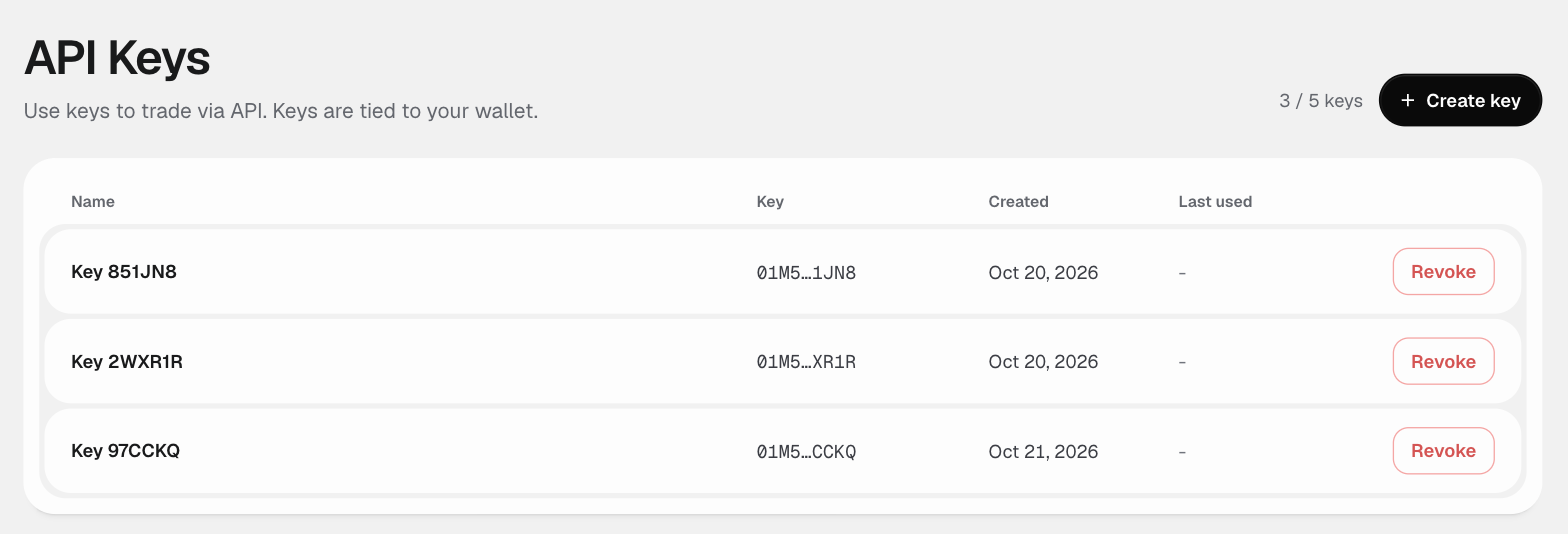
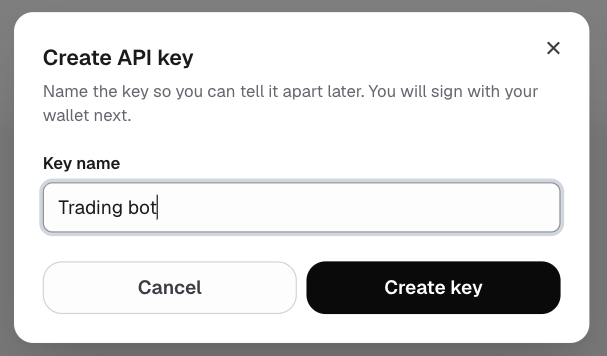
- Choose Create key and give the key a name you will recognize later, such as the program that will use it.
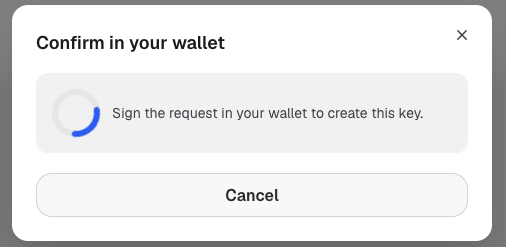
- Sign the request with the wallet connected to your account. This is the L1 signature described below. The key belongs to that wallet, and a different wallet is refused with 403.
- The app shows the API key, Secret, and Passphrase once. Copy each into your program's secret store, confirm that you saved them, and choose Done.
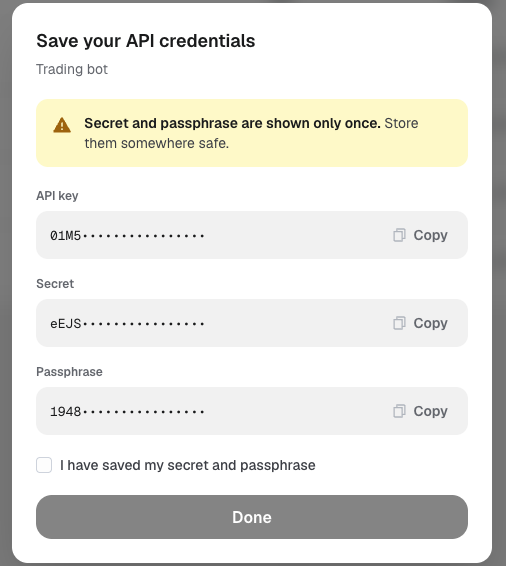
secret and passphrase when you create the key. The key list in the app and GET /auth/api-keys never show them. If you lose them, sign again with the same wallet and nonce to retrieve them with GET /auth/derive-api-key, or revoke the key and create a new one.To revoke a key, choose Revoke next to it. The key stops working at once. See Manage Keys for the API equivalents.
L1: Wallet Signature
Sign this EIP-712 typed data with the wallet that will own the key.
Domain
  name:     "StarzipClobAuthDomain"
  version:  "1"
  chainId:  97 during the preview
  (no verifyingContract)

Type
  ClobAuth(address address, string timestamp, uint256 nonce, string message)

Values
  address:   your wallet address (same as POLY_ADDRESS)
  timestamp: the exact string you send in POLY_TIMESTAMP
  nonce:     the value of POLY_NONCE, or 0 if you omit it
  message:   "This message attests that I control the given wallet"
Send the signature with these headers:
| Header | Value |
|---|---|
POLY_ADDRESS | Wallet address, 0x hex |
POLY_SIGNATURE | 65-byte signature as 0x hex with a low-s value. A recovery byte of 27/28 or 0/1 is accepted |
POLY_TIMESTAMP | Unix seconds as a decimal string |
POLY_NONCE | Optional decimal integer, default 0. Use different nonces to hold several keys |
Create or Derive a Key
| Endpoint | Behavior |
|---|---|
POST /auth/api-key | Creates a key for the wallet and nonce. If an active key already exists for that pair, returns it instead |
GET /auth/derive-api-key | Returns the existing key for the wallet and nonce. Returns 404 if there is none |
Both endpoints need the L1 headers above and the access token of your Starzip account:
Authorization: Bearer <account access token>- The token comes from signing in to your Starzip account at the account service,
https://auth.dev.starzip.ioduring the preview. The Starzip app sends it for you when you create a key there. - Without the header, the request returns 401
bearer token required. An expired or invalid token returns 401access token expiredorinvalid access token. Sign in again for a new token. POLY_ADDRESSmust be the wallet connected to your account. Another wallet returns 403POLY_ADDRESS is not the wallet connected to this account, and an account with no wallet returns 403no wallet is connected to this account.- The token is needed only to create or retrieve a key. Requests signed with the key use L2 alone.
Both return the same credentials as payload:
{
  "apiKey": "01JA2B3C4D5E6F7G8H9J0K1M2N",
  "secret": "<base64url, 32 bytes>",
  "passphrase": "<64 hex characters>"
}- A wallet can hold up to 5 active keys. Creating a sixth returns 409. Revoke a key first.
- The
secretis base64url encoded. Decode it to its 32 raw bytes before using it as the HMAC key. - Keep the secret and passphrase private. Anyone who has them can trade from your wallet through the API.
L2: Signing Requests
Every private endpoint needs these five headers:
| Header | Value |
|---|---|
POLY_ADDRESS | The wallet that owns the key |
POLY_API_KEY | The apiKey value |
POLY_PASSPHRASE | The passphrase value, exactly as issued |
POLY_TIMESTAMP | Unix seconds, within 30 seconds of server time |
POLY_SIGNATURE | The request signature described below |
The signature is computed as:
message   = timestamp + METHOD + path + body
signature = base64url( HMAC_SHA256( key = base64url_decode(secret), message ) )timestampis the same string you send inPOLY_TIMESTAMP.METHODis the HTTP method in upper case, for examplePOST.pathis the URL path without the/v1prefix and without the query string, for example/data/orders.bodyis the exact request body bytes you send, or an empty string when there is no body.- Trailing
=padding on the signature is optional.
An example in Node.js:
import { createHmac } from 'node:crypto';

function sign(secret, timestamp, method, path, body = '') {
  const key = Buffer.from(secret, 'base64url');
  const message = timestamp + method.toUpperCase() + path + body;
  return createHmac('sha256', key).update(message).digest('base64url');
}

const timestamp = String(Math.floor(Date.now() / 1000));
const body = JSON.stringify({ orderId: '0x...' });
const signature = sign(creds.secret, timestamp, 'DELETE', '/order', body);invalid API key or signature. Check each input when you see it.Manage Keys
| Endpoint | Auth | Response |
|---|---|---|
GET /auth/api-keys | L2 or L1 | The active keys of the wallet, oldest first. No secrets or passphrases |
DELETE /auth/api-key | L2 | Revokes the key used to sign the request. Returns "OK" |
DELETE /auth/api-key?apiKey= | L1 | Revokes the named key of the signing wallet, for example a key whose secret was lost. Returns "OK", or 404 if the wallet has no active key with that ID |
The key list:
{
  "apiKeys": ["01JA2B3C4D5E6F7G8H9J0K1M2N"],
  "keys": [
    { "apiKey": "01JA2B3C4D5E6F7G8H9J0K1M2N", "nonce": "0", "createdAt": 1760000000 }
  ]
}
A revoked key stops authenticating immediately. User WebSocket connections that follow it are closed within about 10 seconds.
Troubleshooting
A missing or malformed header, or a timestamp outside the 30-second window, returns 401 with a message that names the problem, such as POLY_API_KEY required. A wrong key, passphrase, signature, or address returns the same invalid API key or signature.
When creating or retrieving a key fails, check the account token first:
- 401
bearer token required: theAuthorization: Bearerheader is missing. The OpenAPI spec does not yet declare this header as a security scheme, so a generated client may not send it. Set it yourself. - 401
access token expiredorinvalid access token: sign in to your account again. - 403
POLY_ADDRESS is not the wallet connected to this account: sign with the wallet connected to your account, or connect this wallet first.
For requests signed with an existing key, check these:
- The signed
pathincludes/v1or the query string. Sign/data/orders, not/v1/data/orders?market=.... POLY_TIMESTAMPis in milliseconds, or your clock has drifted more than 30 seconds fromGET /time.- The secret was decoded as standard base64 or used as text. Decode it as base64url to 32 bytes.
- The signed body differs from the bytes sent, for example because the JSON was serialized twice with different spacing.
POLY_ADDRESSis not the wallet that owns the key, or the passphrase was changed or trimmed.- The key was revoked in the app or through the API.